
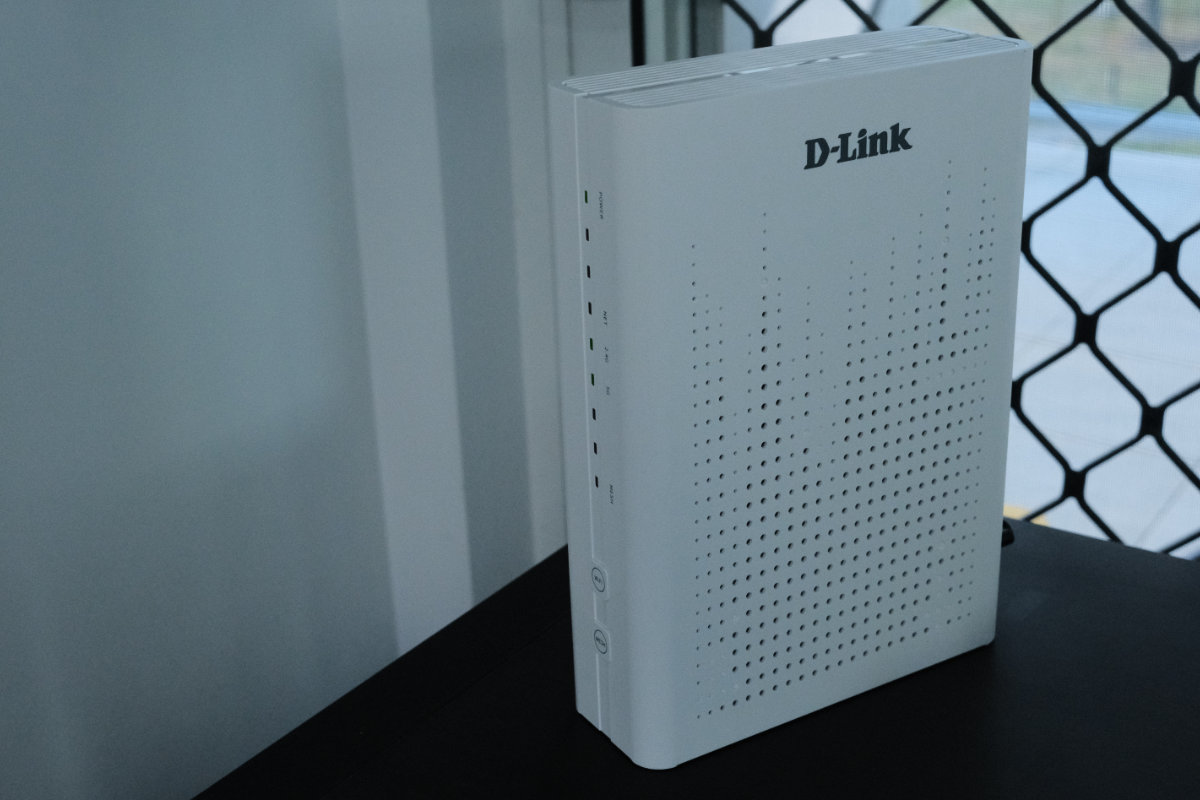
The D-Link DPN-BE7212GR 10G Wi-Fi 7 Mesh Router (hereafter called D-Link BE7212GR) is a high-performance Wi-Fi 7 model designed to keep up with modern high-speed NBN plans.
Its 10G WAN port means it can comfortably handle the fastest FTTP NBN plans available and serve the connection across its high-speed dedicated LAN ports or snappy Wi-Fi 7 wireless interface.
As a mesh-ready unit, you can easily extend the network using a range of other EasyMesh devices for better coverage across large homes and properties. EasyMesh gives you the option to use non-D-Link devices to accomplish this, but it’s a little slower than proprietary options.
The top feature on this router is the 10G WAN and 10G LAN ports. If you regularly use network-attached storage, this is a really solid feature to have, but otherwise you may find it overkill.
Overall Rating: 4 / 5
Pros
- Attractive enough that you don’t have to hide it
- Fast WAN and LAN connections mean speedy transfers to NAS
- Mesh connectivity makes it flexible for all kinds of households
Cons
- Poor management interface on both app and web
- Dual-band mesh is not the best option available
- Not the most straightforward setup
Price: $449.95 | For users on the top NBN plans needing fast LAN performance
Setup & First Impressions
Setting up the router is the easy part, but using the app isn’t the most straightforward method.
The router itself has its Wi-Fi ID and password printed on it, but the app offers to scan a QR code that is missing from the device.
There’s no one-button connection or NFC present, so you’ll have to do things the old-fashioned way by finding its network and entering the password.
Once connected, the companion app provides quick setup options and settings for various features. It gives you a readout of connected clients on LAN, 2.4GHz and 5GHz, and provides the option to block them.
Design & Aesthetics
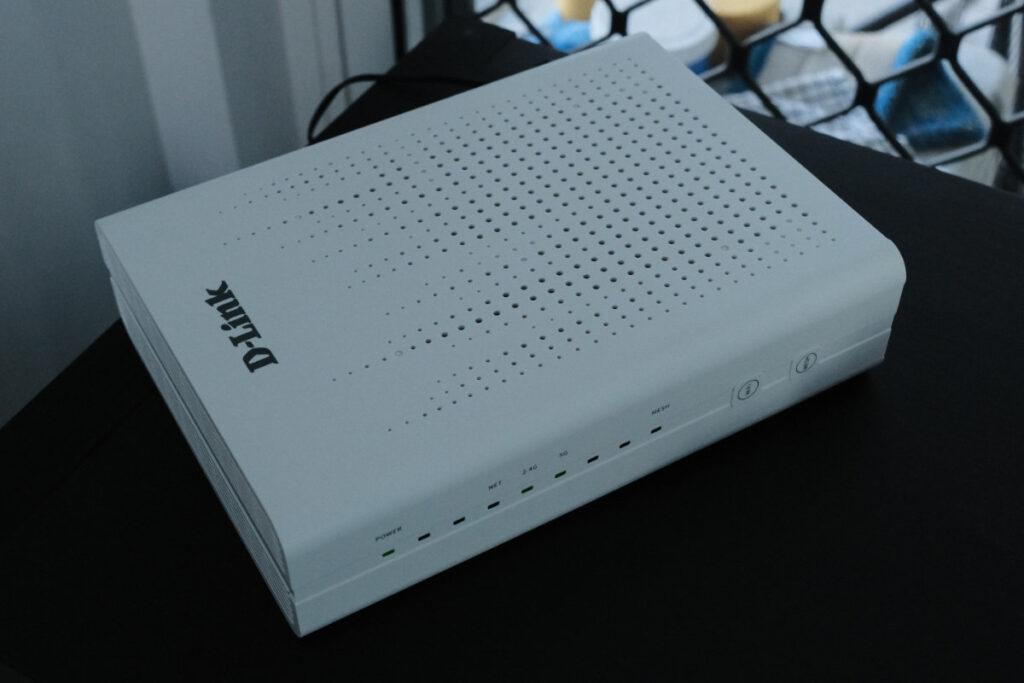
The D-Link BE7212GR is a fairly unobtrusive router. It’s a little larger than other routers in its class, but it doesn’t feature wiry antennas that scream “tech”.
The matte white shell and geometric grille design look contemporary. In general this router doesn’t draw too much attention to itself like some of the RGB designs we’ve seen.
If your NBN connection point forces the router on display in a living room or kitchen, the D-Link BE7212GR isn’t too ugly to leave visible.
Life With the D-Link DPN-BE7212GR Mesh Router
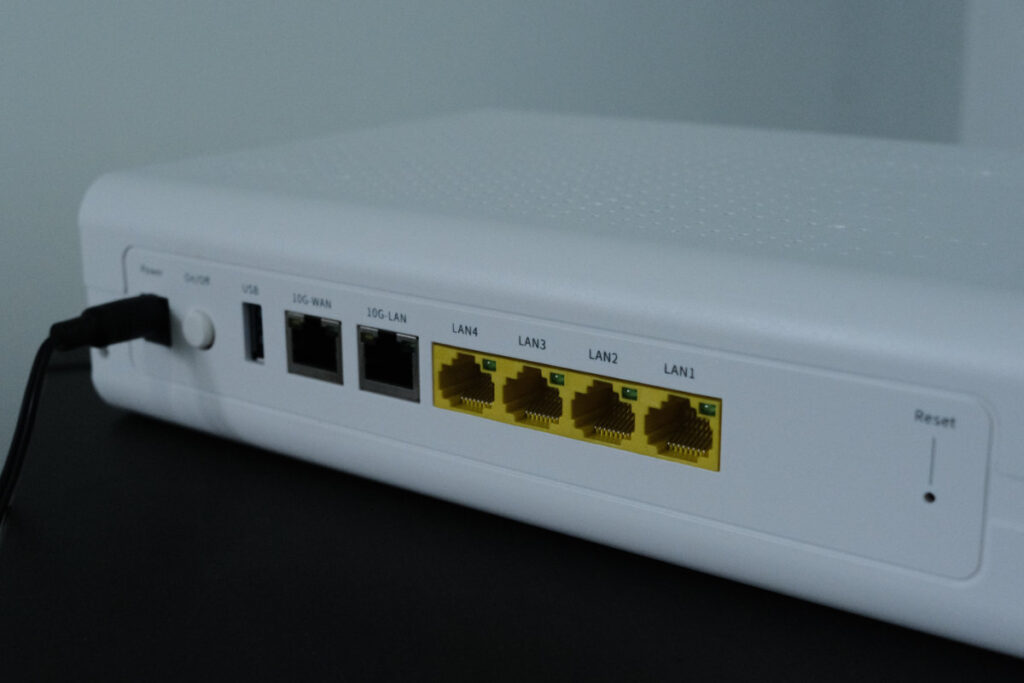
The BE7212GR features four 1Gbps LAN ports for connecting your fixed devices and a 10Gbps LAN port that’s useful for gadgets that need more speed.
The best use case for this faster port is network-attached storage (NAS). If you regularly back up your devices at home, the 10Gbps port will let you do more than one transfer at once without slowing down.
Positives
The app provides a good amount of information that you can use to monitor your network. Where mesh is available, it provides speed metrics across different nodes, which might be helpful when tracking down issues.
The USB port on the router can be a helpful feature for sharing network drives, as a makeshift media server, or for sharing printers on the network.
Band steering is available, which can be helpful for larger homes but may cause compatibility issues with older hardware.
Negatives
Managing this router is not the smoothest experience. The app works for basic functions, but has a few typographic errors and missing features like parental control and certain advanced settings.
For access to the full set of features you must use the web interface, which is not the most convenient. It doesn’t render properly on a phone browser, and like the app it is also pretty unpolished.
Parental controls are present in the web interface, but barebones. It’s a simple URL filter that shifts most of the effort onto the user. There’s also an internet time control that can be enabled per-device and limit their connection time.
Performance & Reliability
The D-Link BE7212GR’s WAN port is significantly faster than current NBN plans, but it’s a meaningful upgrade over prior routers that use a 1Gbps port.
Its Wi-Fi 7 speeds are impressive, and transfers from device to device on the network run smoothly without noticeable slowdown.
My home NBN plan is not fast enough to take advantage of the 10Gbps WAN port, but if the LAN port is any indication, it should perform as expected.
The only issue is that current NBN plans max out at 2Gbps, so a router like this is overkill for the home right now. In New Zealand, fibre plans are available up to 8Gbps that may come closer to fully utilising the port.
Without access to one of these plans, I can’t say for sure that the router can handle that amount of data without slowdown.
On the local network side, the router performed as expected. Actual speeds vary widely depending on the hardware you’re using, the file you’re transferring, and other network conditions.
Practical Considerations
During my testing period I haven’t experienced any noticeable issues or dropouts. It’s been a rock solid experience from day one.
The overall experience in terms of the management software and app feels more like this is a trickle-down SOHO router than one built from the ground up for consumers. If you’re not confident navigating its software, you may find yourself frustrated.
D-Link is a well-established brand with a long history in this industry, so it’s safe to assume you’ll be well covered post-purchase.

Value & Alternatives
At $449.95, the D-Link BE7212GR is on par with other options on the market. There are a couple of other models worth checking out.
The ASUS RT-BE86U comes in a little more expensive at RRP $519, but boosts its secondary LAN ports to 2.5Gbps up from 1Gbps.
The TP-Link Archer BE550 comes in at $549, but upgrades all its physical ports to 2.5Gbps and adds a third Wi-Fi band at 6GHz for less network congestion.
The best configuration depends on whether you have a NAS device that benefits from that massive throughput on the D-Link’s 10Gbps LAN port.
Would I Buy It With My Own Money?
It depends. While faster NBN plans have been increasing in popularity, none are fast enough to warrant a 10Gbps WAN port. That means the decision hinges on whether your home setup can take advantage of the 10Gbps LAN port, and NAS users are less common. Ultimately, it’s your other devices that will determine whether this router is worth the money.





Comments