
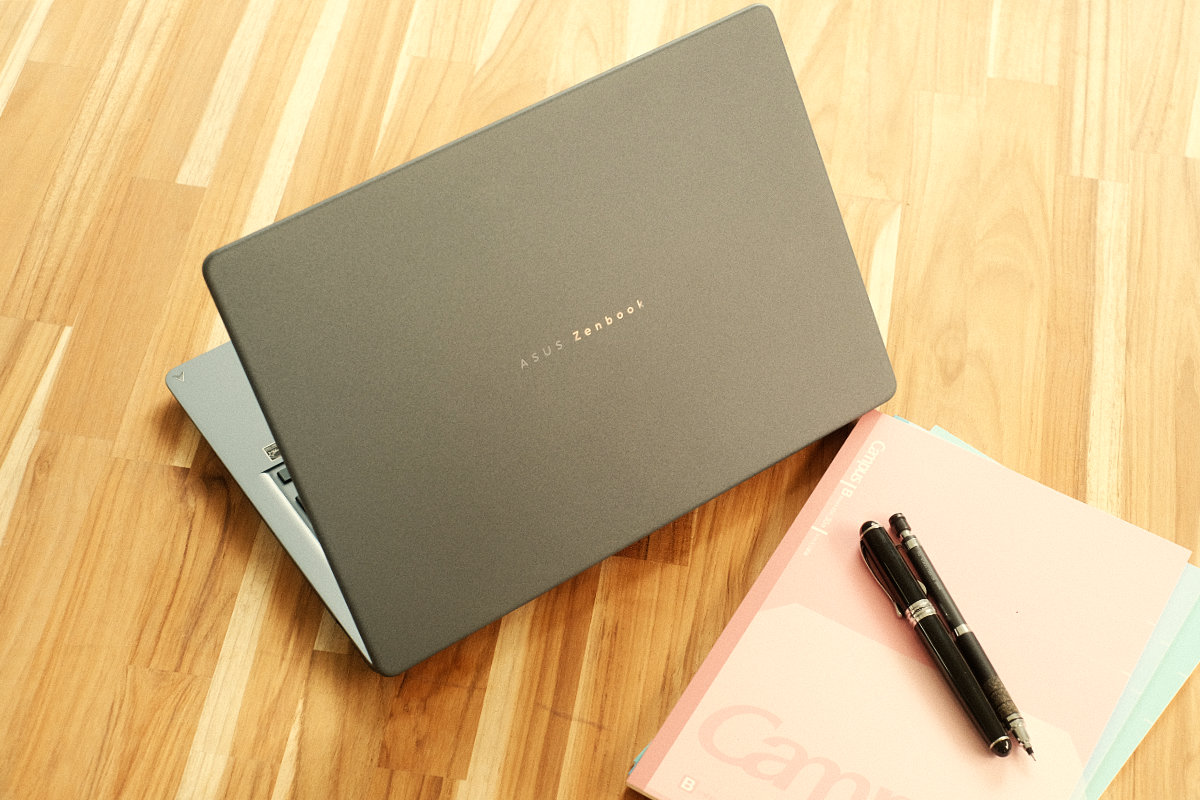
The Asus Zenbook 14 is a 1.1kg laptop with a 14-inch OLED screen that suits professionals who want a light computer for documents, email, and video calls away from the desk.
There’s plenty to like: the gorgeous screen provides a great viewing experience, the keyboard is comfortable, and the machine stays cool and quiet even under intensive workloads.
Coming in at an entry price of $2099 with higher configurations available, it’s positioned at the premium end of the laptop market. It earns that in fit and finish, but there are a handful of drawbacks that are important to consider.
Overall Rating: 3.5 / 5
Pros
- Vivid OLED screen
- Cool and quiet performance
- Comfortable keyboard and a large trackpad
Cons
- Poor 3D performance
- Preinstalled software nagging
- Glossy screen is hard to use outdoors
Price: $2099 RRP | Professionals who want a light, quiet laptop for working on the go
Setup & First Impressions
The Asus Zenbook 14 makes a great first impression. It arrives well presented in the box, and the screen and keyboard are the biggest standouts when you open the lid. A 68W USB-C charger is included in the box for topping up quickly.
Initial setup was easy but took quite some time to download updates and install everything before I reached a usable desktop. Along the way, Windows Hello setup allows for quick sign-in with the IR camera.
The less welcome first impressions came from the preinstalled software. Asus’ own utilities, Copilot, and several other apps all nag for attention through initial usage.

Design & Aesthetics
This is a very slim laptop that weighs 1.1kg, making it quite portable despite the large screen size. The Ceraluminum finish on the lid is smooth but tactile, and the metal chassis feels solid.
It comes in Arctic Blue or Komodo Coral, and Asus carries the colour through the whole laptop, including the lid, keyboard deck, and base.
The available ports cover the basics: one full-size HDMI, two USB-C, one USB-A, and a 3.5mm headphone jack. Both USB-C ports can charge the laptop.
Life With the Asus Zenbook 14
The Asus Zenbook 14 is a great machine for tackling light computer tasks like documents, browsing, and watching content. It’s compact enough to grab for work on the go without thinking about it.
Positives
The screen is what I enjoyed most. Colours look great on the OLED panel, and it felt fairly smooth even at 60Hz. Brightness is decent, but the glossy finish makes it tough to use outdoors or under direct lighting.
The keyboard is another strong point. Its key travel is longer than most laptops, and the keycaps are thicker than usual. The layout is fairly standard, though it has a few swapped key positions like Fn and Ctrl.
Negatives
The biggest frustration is the preinstalled software. There’s a fair bit of it, and each app is set to push notifications by default. Asus’ own inbuilt tools don’t feel like they’re very useful.
The webcam offers a fairly grainy, low-quality image that is serviceable for video calls, but most standalone models I’ve tried would be an upgrade.
The speakers sound good on a desk with no noticeable distortion at full volume, though they lack bass. Since the speakers sit underneath the chassis and aim downwards, sound quality suffers on a lap or soft surface.

Performance & Reliability
The particular unit we have is the entry-level model, equipped with a Snapdragon processor. That’s an Arm architecture chip derived from phones, and its advantage is in multithreaded performance while staying cool and quiet.
If you’re interested in laptop chip differences and which to pick, check out our laptop guide.
Everyday apps run great, and the laptop is very responsive. It’s quick to wake when you
open the lid, and browsers and document editing apps feel snappy.
More intensive tasks are a bit more hit-and-miss. Jobs like video exports and 3D rendering demand a stronger processor than the one in our review unit.
Graphics are a particular weak point. Demanding 3D games don’t run well at all, but light gaming and indie titles should be fine, depending on their compatibility with Arm architecture.
Battery life is good, and you can expect it to last throughout a full working day of mixed usage with some power to spare.
Practical Considerations
The Zenbook 14 is easy to carry, but the charger is less travel-friendly. The 68W unit is a large brick with a thick cable. A smaller GaN charger rated over 45W and a USB-C cable would be my pick for working on the go.
Asus says the laptop meets the MIL-STD 810H durability standard that means it’s safe from the typical knocks a portable laptop might sustain.
The laptop’s memory is soldered to the board, meaning it cannot be upgraded later, and more difficult repair if something goes wrong.
The Asus Zenbook 14 comes with a one-year warranty that’s on par with other manufacturers.

Value & Alternatives
At $2099 for the entry model, the price feels a bit high.
The same money buys a 13-inch MacBook Air M5 with 512GB of storage and 16GB of memory, that’s noticeably faster in benchmarks. The Asus has the advantage if you need Windows or want a better quality OLED display.
Asus’ own Zenbook A14 is another alternative. It’s an older 14-inch Snapdragon laptop that we’ve spotted heavily discounted recently, and it’s still a pretty easy recommendation, especially at the sale price.
Would I Buy It With My Own Money?
Yes, on sale. At the full price it’s a tough recommendation, but the hardware is difficult to fault. The OLED screen is a pleasure to look at and the keyboard is great. The weaknesses won’t matter to office professionals, but don’t expect top performance from this chipset.




Comments