
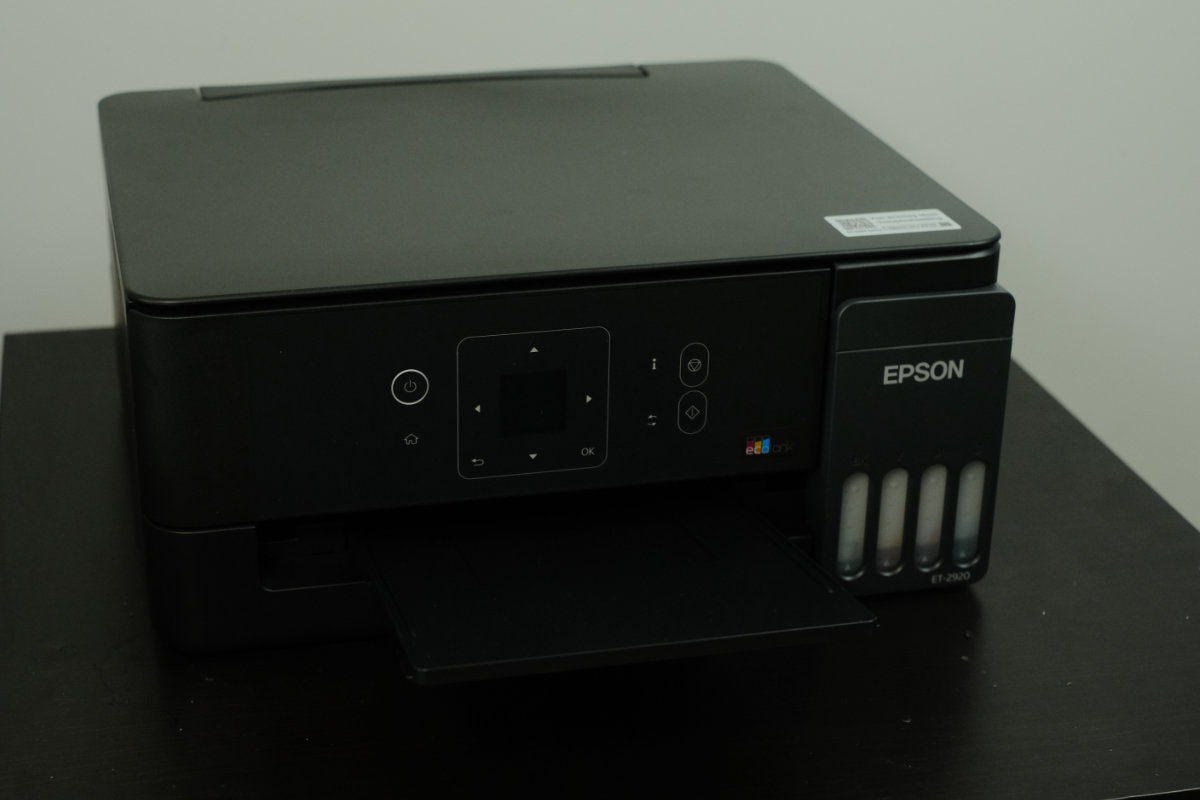
The Epson EcoTank ET-2920 is a small office/home office printer with scan and copy that’s designed to minimise ongoing costs while offering excellent print quality and versatile print media handling.
As an ink-tank style printer, it’s refilled directly from ink bottles into a built-in reservoir in the printer. Instead of buying an entire cartridge, you’re just paying for the ink while the print head stays with the printer.
The advantages of ink bottles are a very low cost per page, less plastic waste, and a high yield from each trip to the office supply store. Enough ink is included with the printer for over 3000 pages right out of the box.
The ET-2920 offers great features for small office users, but its value proposition at the recommended retail price is hard to defend.
Overall Rating: 3.5 / 5
Pros
- Excellent print quality for documents and photos alike
- Low ongoing costs
- Reliable connectivity and easy setup
Cons
- Not the best value proposition in Epson’s lineup
- No ADF limits long document scanning workflows
- Scan and copy quality is secondary
Price: $479 RRP | Best for small offices needing a flexible printer

Setup & First Impressions
Epson’s printers are easy to get up and running. Just follow the instructions included in the manual, with the companion app, or follow the prompts on the printer itself.
The ET-2920’s setup process involves initialising the ink system, which takes several minutes. It then prints a test page that you must place on the scanner for calibration. After that, you can connect it to your Wi-Fi network, which takes a few more minutes.
The whole process takes about 15 to 20 minutes in total.
The ET-2920 is positioned as the entry-level SOHO EcoTank model, offering print, scan, copy, and Wi-Fi connectivity. Compared to higher-end models, it’s missing automatic document feeding and Ethernet connectivity, but neither is essential for home office use.
Design & Aesthetics
The EcoTank ET-2920 features smooth, rounded corners and comes in a matte black colour that matches well with most other office devices. It blends into the home office easily and doesn’t draw attention to itself.
It features smart design details like the strut that holds the lid up while you refill ink, a tilting front panel that makes it easier to see the LCD, and easy-to-navigate menus.

Life With the Epson EcoTank ET-2920
I’ve tested the EcoTank ET-2920 out with photo paper, 120gsm document paper, and inexpensive 90gsm copy paper. It proved to be a flexible printer that’s well-suited to a variety of tasks and excels at document and photo printing.
It’s capable of printing on standard printer paper, glossy photo stock, labels, and more. It also provides scan and copy functions with a flatbed scanner.
Positives
The ET-2920’s photo printing quality is a big surprise. Despite being a standard CMYK printer that’s not dedicated to photo printing, it consistently produces great results. Using Agfa Premium Glossy Photo Inkjet paper, images came out with bright, vivid colours and good contrast.
The results won’t rival a dedicated photo printer, but for printing happy snaps it’s more than adequate if you use a good photo paper.
For documents, prints came out with minimal feathering, smooth gradients, and good detail. I found the best results were on 120gsm document paper, but even on cheap copy paper, documents came out crisp and clear.
During my time with it, the ET-2920 didn’t present any connectivity issues or reliability problems. Once you get used to its workflow, it’s easy to print with.
Negatives
Scan quality is a bit of a disappointment. Below 300 dpi, there are significant issues with the resulting scans, and even at that resolution it presents washed-out colours and poor contrast.
With no automatic document feeder, multi-page scan and copying become a manual process that can eat up quite a bit of your time.
If you’re printing on non-standard media, document setup requires attention. The printer asks each time what media is in the tray, and if your software and the printer driver don’t match up, it’s easy to run into issues like paper boundary overrun or wrong image sizing.

Performance & Reliability
Print speed is a little on the slow side, but good enough for most offices. I printed a 10-page document with text and images that took 67 seconds in black and white and 119 seconds in colour from pressing the print button.
My laser printer clocks in at 49 seconds for the same document from standby, or 19 seconds if it’s already warmed up. For printing at volume, a laser printer is noticeably faster.
Practical Considerations
Epson’s genuine ink refills come in at just $17 a bottle and offer over 3000 pages each. This results in a very low cost per page compared to cartridge and laser options with less plastic waste.
It offers a 100 sheet capacity in the rear feed, so if you regularly use it for high-volume printing you may find yourself reloading the paper quite often.
Epson’s recommended duty cycle is 500 pages per month with 3000 pages maximum. That means it’s suited to light to moderate print volume from small office or home office users.
Epson offers this model with a standard 12-month warranty that extends to 24 months upon product registration.

Value & Alternatives
The EcoTank ET-2920 comes in with an RRP of $479, placing it between the ET-2910 at $399 and the ET-4900 at $499, and it’s not good news for the ET-2920.
For $80 less, the ET-2910 provides all of the same core functions including print resolution and speed. The only difference is that the ET-2920 has an LCD screen, but you may not need this at all if you manage settings on your PC or phone.
The recommended pricing puts this model in an awkward position, but its solid performance and low ongoing costs mean it’s still a good choice if you’re in the market for a flexible inkjet printer.
Laser printers are another typical alternative for SOHO usage, but their ongoing costs can be significantly higher with toner cartridges costing up to 10 times as much as an Epson ink bottle for roughly the same yield.
If you’re deciding between laser and inkjet, check out our guide.
Would I Buy It With My Own Money?
Yes, if it goes on sale. The printer itself performs very well, and the biggest issue I have with it is the price tag. A discount would make it a very easy recommendation, but the recommended retail pricing sits too close to both alternatives to ignore.





Comments