
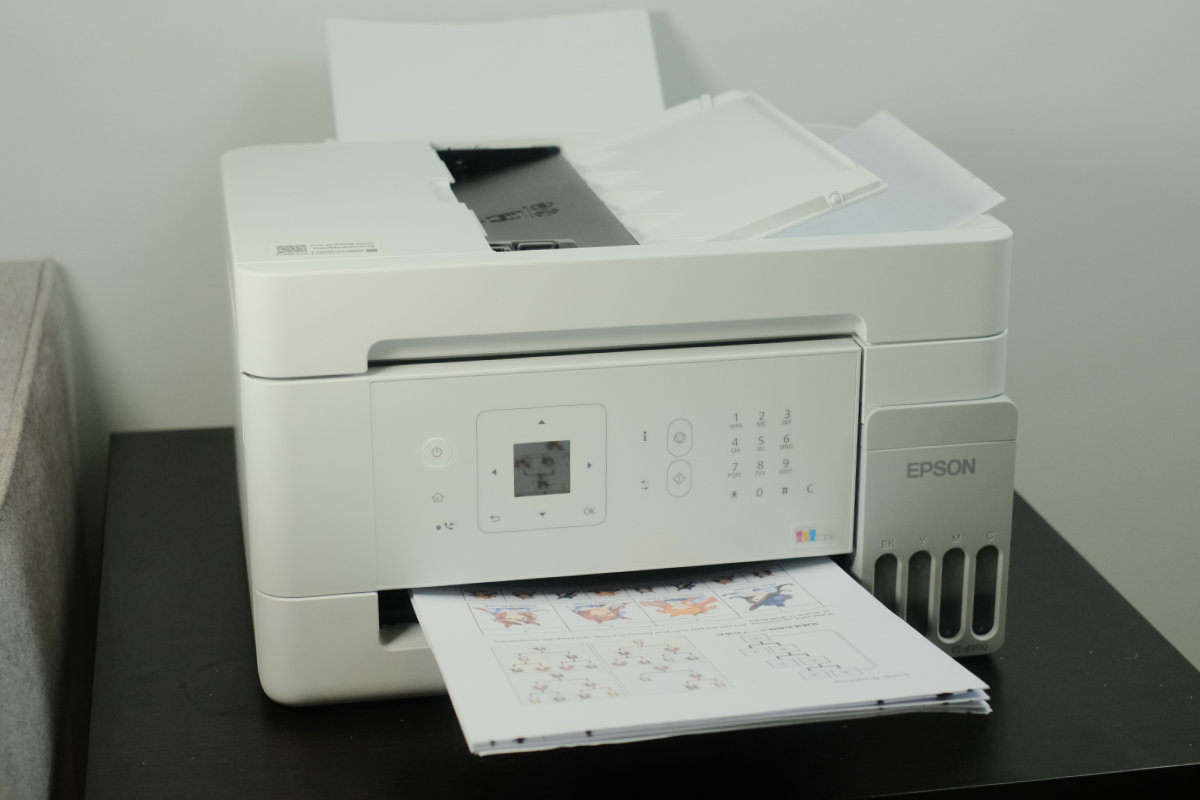
The Epson EcoTank ET-4900 is a colour all-in-one printer that replaces the cartridge rip-off cycle with an ink tank system that you can fill directly from an ink bottle.
Epson’s pitch is lower ongoing costs, reduced wastage, and fewer trips to the office supply store to refill.
The trade-off is a slightly higher upfront cost, but the low ink prices mean it won’t take long to recoup your costs compared to a cartridge system.
Built for small offices and home offices, the ET-4900 is a solid option if you print often, want predictable ongoing costs, and need versatile paper handling.
Overall Rating: 4 / 5
Pros
- Excellent print quality across photos and 120gsm documents
- Low ongoing costs even with genuine ink
- Comes with enough ink in the box to last for thousands of pages
Cons
- Slow printing compared to laser
- Scan quality is noticeably worse than print quality
- Rear-feed only; no secondary loading for different print media
Price: $499 RRP | Best for small and home offices needing versatility

Setup & First Impressions
Initial setup on this printer is fairly straightforward; just plug it into the wall and follow the prompts. It has detailed step-by-step setup instructions in the accompanying documentation, in the companion app, and even on the printer itself.
I used the companion app steps for setup and the process was easy to follow. It took about 20 minutes for the printer to complete its initial print head purge and calibration, meaning you won’t be up and running in mere minutes.
The printer connects to network devices over Ethernet cable, Wi-Fi, AirPrint, direct wireless, and more. It’s very flexible, but connecting it to a network is most reliable and makes it easy to print from a range of devices.
Design & Aesthetics
The ET-4900 is modern and unintrusive, suiting a home or small office perfectly with smooth, rounded corners and a fairly typical footprint. This model only comes in a matte white with grey and black accents.
There are some smart design features built into the printer like the flexible strut that holds the lid open during maintenance tasks like ink refilling.
The printer features a simple interface with a small LCD screen and buttons that help you navigate the onscreen options. It’s not the easiest screen to see at an angle, but you can tilt the screen up so that it’s easier to read as you stand above the printer.

Life With the Epson EcoTank ET-4900
I’ve run the EcoTank ET-4900 through several printing tests with photo paper, 120gsm document paper, and standard inexpensive copy paper. Overall, the ET-4900 performed very well.
Its primary function is printing on standard printer paper, but it can handle glossy photo stock, labels, and more. The ET-4900 also provides copying and scanning with a scanner bed or automatic document feeder, as well as fax functions for those few SOHO users who still need it.
Positives
I was quite impressed with the ET-4900’s photo printing quality. I used Agfa Premium Glossy Photo Inkjet Paper and the results were great. Images came out with strong contrast and detail even on this fairly inexpensive photo stock.
Some prints I made came out with slightly washed-out colours, but I was still pleased with the results given it’s not a dedicated photo printer.
Print quality across a range of media types was impressive. With 120gsm document paper, there was minimal feathering and the printer produced even gradients in both black and white and colour.
The automatic document feeder is very useful if you ever need to scan or copy multi-page documents. Scanning documents manually gets tiring after just a few pages, so if you’re regularly dealing with document scanning, an ADF becomes a necessity.
Negatives
Scan quality is probably the biggest downside on this model. Colours look washed out in both physical copies and digital scans, and I noticed a few alignment issues even with skew autocorrection active. 75 dpi scanning results in an essentially unusable document for no compensating speed benefit.
Print speed is noticeably slower than my black-and-white laser printer. I printed a 10-page document with text and images. From standby, my laser printer took 49 seconds, the ET-4900 took 52 seconds, and in colour the ET-4900 took 104 seconds.
While the quality is excellent, photo printing setup for the ET-4900 seems a bit finicky. I was printing images from Affinity, but its native print settings did not apply correctly, which resulted in the image overrunning the paper edge.
After several more prints, I figured out how to set this up reliably, but there can be a bit of friction between the software you print from and the printer’s own drivers.

Performance & Reliability
Throughout my print testing, I did not encounter any issues aside from the paper size setup problems when printing photos.
The print quality was great across both documents and photos, with minimal feathering even on cheap copy paper. On close examination, text isn’t quite as crisp as you’d get from a laser printer, but it’s more than adequate.
Scan and copy functions are only usable at a 300 dpi minimum. Any less than this results in poor contrast and missing or garbled text. Even at this setting, colours suffer from low saturation and resulting scans and copies are a cut below the original print quality.
Practical Considerations
Ink refills come in at $17 per bottle, offering over 3000 pages each. That results in a very low cost per page compared to cartridge or laser options.
The ET-4900 has a modest paper capacity at 100 sheets in the rear feed, meaning if you use it for high-volume printing or longer documents, you may find yourself reloading the tray often.
Its recommended duty cycle of 500 pages per month with 3000 pages maximum means it’s suited to light or moderate print volumes from small office or home office users. If you’re on either side of this range, printing very high volumes or only printing once in a while, the ET-4900 may not be the optimal choice.
Epson offers a standard 12-month warranty on this model extending to 24 months upon product registration.

Value & Alternatives
The obvious alternative to this model is a multifunction laser printer. If you print less frequently, laser toner cartridges last longer when unused, while inkjet printers benefit from frequent printing to keep the print head flowing.
That said, laser printers’ ongoing costs can be significantly higher. Toner cartridges can cost up to 10 times the price of an Epson ink bottle for roughly the same page yield.
Another alternative is a conventional cartridge printer, though the benefits a tank system provides over cartridges are hard to ignore. Cartridge printers might have a lower initial cost, but cost per page is quite a bit higher.
If you’re deciding between laser or inkjet, check out our guide.
Would I Buy It With My Own Money?
Yes, but only if you print regularly at volume. For regular home use or documents-only printing, this model is a bit overkill. If you need the versatility to print on multiple media types like photos, labels, and documents, the ET-4900 is a good choice.





Comments