
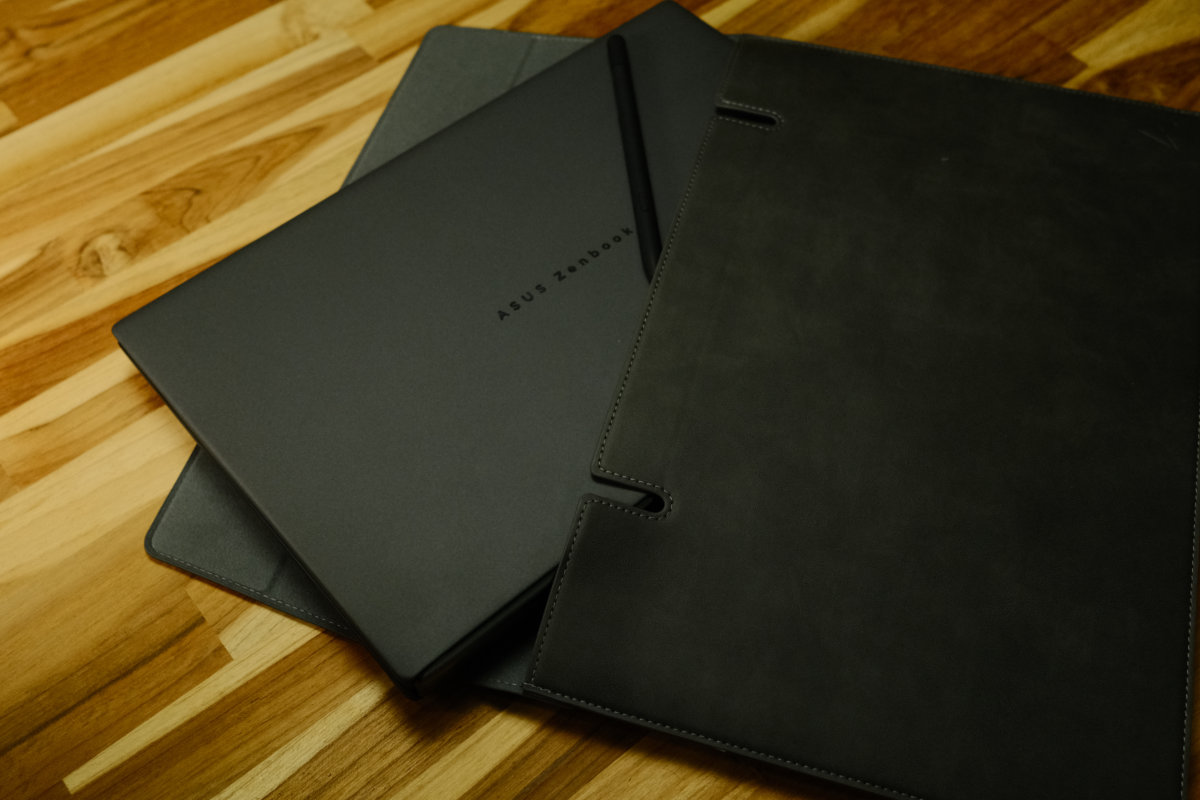
The Asus Zenbook Duo began as an experiment to bring dual-screen productivity to the portable laptop form factor. Now, the concept is refined to the point where it no longer feels like a prototype.
The Zenbook Duo’s party trick is its two 14-inch 3K OLED screens arranged in a clamshell form factor. They can be positioned like a regular laptop, propped up in desktop mode, and even arranged in side-by-side portrait mode that’s great for reading and writing.
The use case is for workers who are used to a multi-screen workflow and need the flexibility in a portable form factor. Field video editors, power users, and workstation users.
After several iterations, it feels like Asus has finally landed on a design that works without any compromises.
Overall Rating: 4 / 5
Pros
- Transition from laptop into dual-screen mode is seamless
- Outstanding performance in the laptop form factor
- Build quality matches up with the price tag
Cons
- Price is hard to justify for most buyers
- 1.75 kilograms and thick; less portable than most 14-inch laptops
- Glossy displays make it hard to use outdoors
Price: $6399 RRP | For mobile workers who need a high-end, high-productivity workstation

Setup & First Impressions
Unboxing the Asus Zenbook Duo, the first thing you notice is the premium build quality. Like other Asus laptops this year, it’s made of Ceraluminium, presenting with a smooth-feeling and sturdy surface that doesn’t fingerprint easily.
Windows 11 setup is fairly time consuming and prompts you repeatedly for features you don’t need. This isn’t the laptop’s fault, but it’s worth noting that you won’t be up and running the minute you unpack the laptop.
The Zenbook Duo is a bit thicker and heavier than you might be used to in a 14-inch laptop, but if you’re familiar with gaming laptops it may not surprise you too much.
Design & Aesthetics
The laptop’s design incorporates a grey-to-black finish that looks and feels premium. The hinge design on this iteration of the Zenbook Duo means it closes flush and flat, and it’s able to open completely flat, too.
An unusual point is that the laptop vents to the sides rather than to the rear. In a practical sense that means you may feel a bit of warmth at the sides, but it’s an intelligent design choice that helps the Zenbook Duo deliver on its flexibility promises.
The screens feature very narrow bezels that help to create an immersive, distraction-free experience whether you’re using it for productivity or just watching movies.
The keyboard piece offers magnetic attachment with connection to the laptop via pogo pins. This helps to charge the keyboard while it’s attached. I noticed the keyboard feels very nice with good travel at 1.7mm and a pleasant, tactile click.
The trackpad is a good size with positive click feedback, making it easy to navigate the two screens while the keyboard is disconnected.

Life With the Asus Zenbook Duo
I’ve been testing out the Asus Zenbook Duo for about a week, trying out its dual-screen workflow.
The laptop offers flexible usage with regular laptop mode, landscape desktop mode, portrait desktop mode, and even a collaboration mode that allows one screen to face someone opposite you.
The collaboration mode as marketed seems a bit contrived, but it would be a welcome addition if your workflow often sees two people sharing one machine.
Positives
The flexibility this dual-screen setup provides is incredibly useful to have in a portable machine. Using it in desktop mode allows you to split up your attention between content and work, while portrait mode is outstanding for viewing research and notes side-by-side.
The first time you detach the keyboard and see the machine switch into dual-screen mode seamlessly is a delightful moment. Using the computer wirelessly with the keyboard and touchpad on your lap makes for a great experience.
The speaker quality was a genuine surprise. When I fired up a YouTube video for the first time I was impressed with how good the audio sounds. It offers much better bass and stereo separation than most other laptops I’ve tried.
Negatives
Coming in at 1.75 kilograms, this isn’t the easiest machine to decide to throw into your daily carry bag. That extra weight becomes a burden throughout the day, so it becomes a laptop you carry with intent, not just in case.
While the screens offer excellent colour and detail, the glossy finish means they produce reflections and attract fingerprints. The brightness is more than acceptable indoors, but outdoor usage isn’t this machine’s strong point.
Windows on a touchscreen is still a less-than-ideal experience. Most apps feel like touch is a tacked-on feature rather than a primary use case.

Performance & Reliability
The Asus Zenbook Duo offers high-end hardware that provides a smooth experience in heavy workstation tasks and 3D loads like gaming and modelling.
The Intel Core Ultra X9 CPU offers strong performance with minimal throttling over a sustained test. Over a 20-minute CPU-bound load there was very little performance loss, suggesting excellent thermal handling.
Meanwhile, the integrated Intel Arc B390 GPU delivers outstanding performance for a laptop with high framerates across the gaming titles I tested including Cyberpunk 2077 and Satisfactory. It’s not up to par with powerful desktop-grade GPUs, but provides an excellent experience in indie titles and high-detail 3D titles at modest settings.
Under load the fans stay quiet and effective. The underside of the machine gets a bit warm, but still manageable. Due to the unique design of this laptop, the keyboard surface stays cool.
Battery performance is excellent. Throughout the 20-minute stress test, the laptop consumed 15 percent of the battery, suggesting the hardware can utilise significant power when necessary, but regular usage rarely sees sustained loads like this.
In a real-world test, the laptop consumed 7 percent of its battery watching a YouTube video for one hour at half brightness. This suggests roughly 14 hours of video playback, which falls a bit short of Asus’ claims, but is still quite impressive.
In normal usage, the Zenbook Duo should last all but the most intensive users throughout a full workday with battery to spare. Testing suggests that continuous dual-screen use will cut the battery life roughly in half.

Practical Considerations
The biggest thing to decide on in a practical sense is whether you can accept the 1.75 kilo weight. I would characterise it as closer to “luggable” than “ultraportable”, though you may find it an acceptable trade-off for the dual-screen functionality.
It includes a full-size HDMI 2.1 port, two Thunderbolt 4 USB-C ports, one USB-A port, and one USB-C port on the keyboard. An SD card reader is a disappointing omission for this kind of laptop.
The laptop includes a 100-watt USB-C charger and the Asus Pen 3.0 for stylus input. This is a great addition for artists and note-takers, but the price puts this machine out of reach for most students.
The glossy OLED display will demand regular cleaning, especially if you use the touch screen. It’s worth investing in a good cleaning cloth for this type of display.
Asus offers a one-year warranty on the Zenbook Duo, which feels a bit limited at this price point.

Value & Alternatives
At the time of publishing there is no direct dual-screen competitor to this laptop. In the past, Lenovo has offered a dual-screen laptop but it’s based on older hardware with a very different approach.
A comparison worth drawing is a premium laptop and an external display. Even premium options like the 14-inch MacBook Pro with a good portable display would leave change at this price point.
The question is whether the second screen being integrated with the included screen modes is worth the premium to you. For many, the detachable keyboard will be a key feature that’s missing on other options.
Would I Buy It With My Own Money?
No. The Asus Zenbook Duo is a really impressive machine, but it comes in a bit too heavy for my use case and the second screen is nice to have but not necessary. However, field video editors and dual-screen power users may find this to be the perfect machine to accelerate their mobile workflow.





Comments