
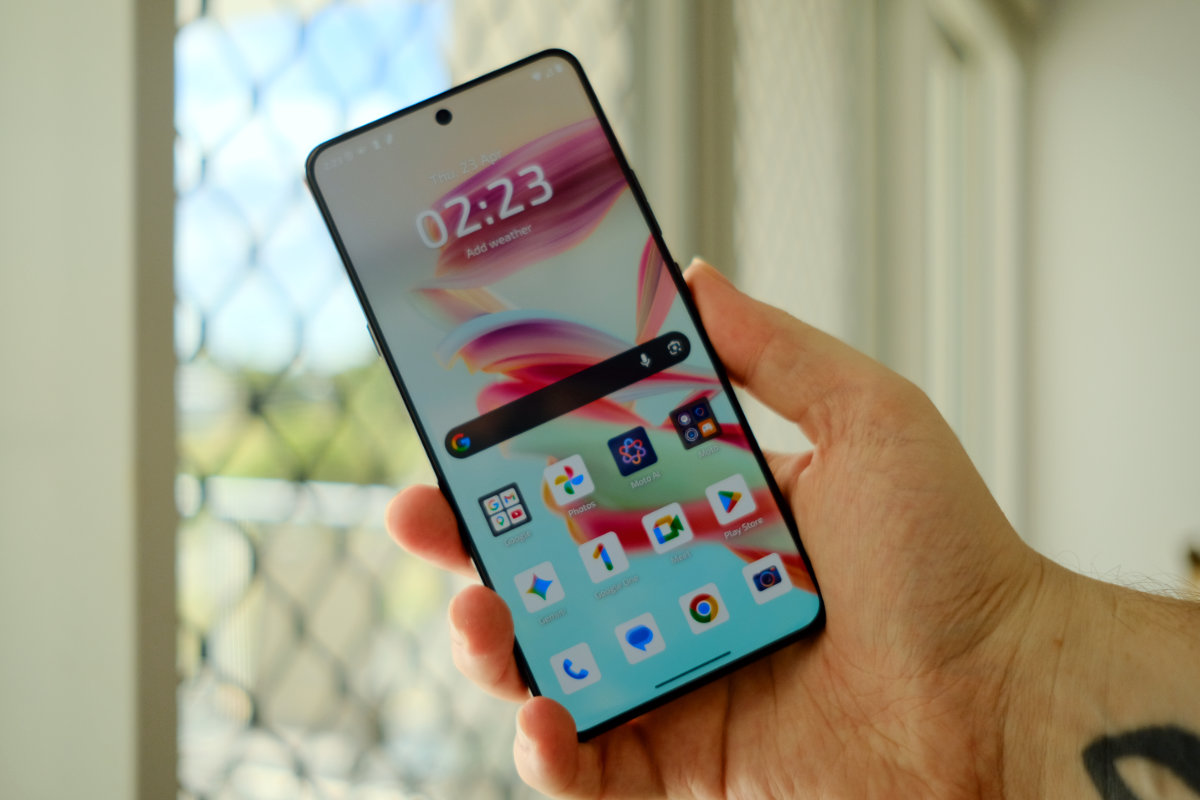
The Motorola Signature is a premium device that ticks all the flagship boxes. It’s ultra-thin, made of premium materials, has an outstanding camera suite, and offers powerful performance.
At just 7 millimetres thin and 186 grams, the Motorola Signature feels noticeably slimmer and lighter than other flagships, but it hasn’t skimped on hardware.
Featuring a Qualcomm Snapdragon 8 Gen 5, it delivers impressive performance in demanding apps like 3D games and multitasking workloads.
Overall Rating: 4.5 / 5
Pros
- Outstanding camera performance
- Excellent processing power
- Super thin profile
Cons
- Preinstalled bloatware is annoying
- Quad-curve glass makes screen protectors impossible to use neatly
- Overprocessed photos can look a bit unrealistic
Price: $1499 | For anyone after a thin phone with great photo capabilities

Setup & First Impressions
On unboxing, the Motorola Signature is already out to impress. Motorola has continued its trend of perfuming the box with a bespoke scent. To my nose, it smells a bit floral and somehow reminds me of fresh laundry.
The perfume wore off the device itself fairly quickly, but at the time of writing the fragrance is still lingering in the box. This is worth noting in case you’re sensitive to perfume.
Inside the box you’ll also find a surprisingly cheap feeling plastic case. It’s nice to see that most of the price has gone towards the device itself but this type of case is an odd inclusion.
Setup is as easy as most Android devices – sign into your Google account and optionally your Motorola account, bring any apps and files across, and you’re ready to go.
Unfortunately there’s a lot of preinstalled apps that you can’t opt out of, so you’ll have to spend some extra time to set up your apps the way you want them.
Design & Aesthetics
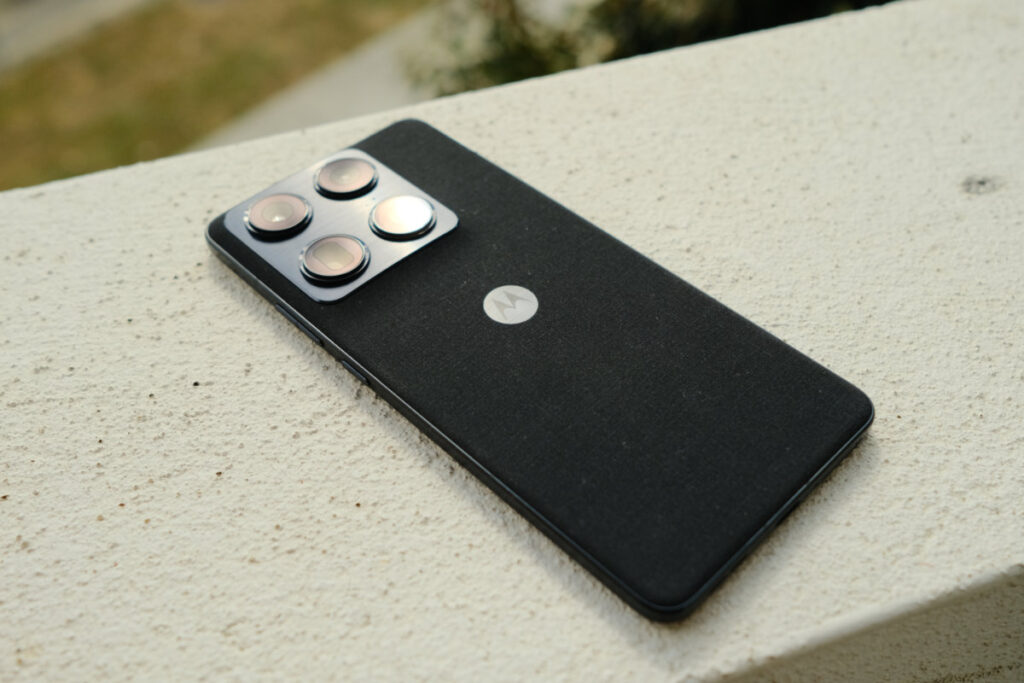
The Motorola Signature itself feels super thin with a smooth bulge towards the camera island. The sides are finished with metal and the rear is a fabric material that adds grip.
Motorola’s quad-curve glass smoothly rolls out to the edges of the phone but there’s still a noticeable sharp edge between the glass and the metal frame that defeats the purpose of the curve.
In a practical sense, the curved glass makes it all but impossible to use a screen protector neatly, so Motorola did not include one preinstalled.
The Motorola Signature comes in Pantone validated colours. Our model is called Carbon with a nearly black finish and just a hint of blue on the metal materials. There’s also a quirky Martini Olive colour that’s more of a yellow-green.
The thin profile comes in at a hair under 7 millimetres without including the camera island. That’s pretty impressive considering the hardware on offer here.

Life With Motorola Signature
I’ve been using the Motorola Signature as a main device for a few weeks and it has fit naturally into my routine. Taking photos with it has been a delight, and it’s been an impressive device overall.
Positives
The biggest highlight here is the cameras. You can get some seriously impressive shots out of the camera app, and you’ve got a good amount of control over the settings in Pro mode.
Performance is another high point. The Motorola Signature maxes out on a few 3DMark benchmarks and gameplay in 3D games feels snappy and smooth. After several minutes the phone becomes warm to the touch and I did notice some slowdown in extended gaming sessions.
The large 6.8-inch display combined with the thin, lightweight chassis is a nice touch. While some phones can feel uncomfortable in a jacket pocket, the Signature is slim and light enough that I’ve found myself having to double check if I’ve still got it on me.
Brightness is a high point for the Signature and the display remains visible in daylight. Content looks bright, colourful, and vivid.
Despite the thin chassis, battery life has been very impressive. The 5200mAh silicon carbon battery comfortably lasts two days.
Negatives
Throughout the first week of usage the phone felt like it was popping up annoying guides every time I opened an app. It has been pushing Moto AI and other software suites quite hard, and despite swiping these notifications away they seem to keep coming back.
After setup the phone has several preinstalled apps that I didn’t want and can’t opt out of. Apps like TikTok, LinkedIn, Perplexity, and Copilot come with the phone and add unnecessary time to the setup.
While the camera is great, I found some of the photos I took with it look overprocessed and unrealistic. Colours come out oversaturated, and more like an idealised version of what’s in front of you.
AI postprocessing can’t be fully disabled, leaving a bit of control out of your hands when it comes to photography.
While the fabric back feels premium and grippy, I have concerns over its longevity. It hasn’t taken long for the material to get a bit grubby, so it’s a bit worrying how it will hold up over a longer ownership period.
The included case is cheap, flimsy, and plasticky, leaving me wondering why Motorola included it at all.
Camera
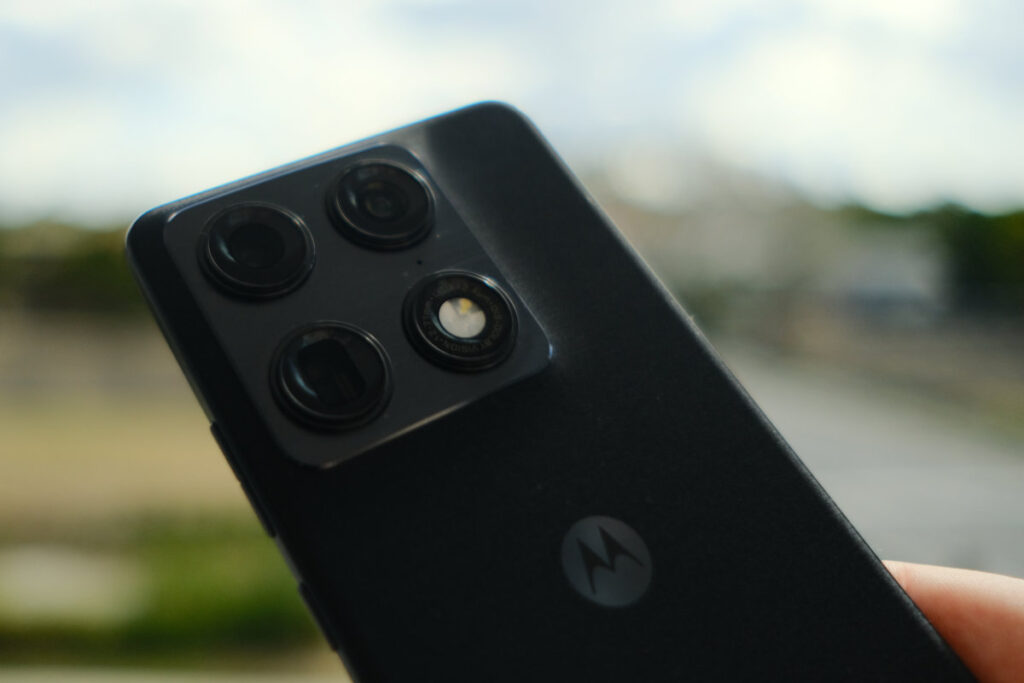
The Motorola Signature’s camera suite is impressive. Motorola has made a strong return to phone photography after offering middling cameras on its phones for the past few years.
Motorola has opted for Sony LYTIA sensors on the Signature, with a bright, 50 megapixel main lens, a quad-pixel binning ultrawide lens, and a 3x optical periscope telephoto lens.
All three can provide great photos, but the main lens is the clear highlight. The others feel a bit like they’re just filling out the array rather than complementing the experience.
AI generation and adjustments are present in the cameras and can’t be disabled – this is the Achilles heel of the camera suite. Some images come out looking a little larger-than-life in terms of vividness and sharpness, and when using digital zoom the AI generation becomes pretty obvious.
However, it’s easy to get a great shot with these cameras. The phone focuses quickly and exposure is great for just about every shot. If you’d like a little more control, Pro mode provides extra settings like exposure compensation.
Here are some sample shots:


Performance
The Motorola Signature maxed out on 3DMark Wild Life and performed well on Steel Nomad Light benchmarks. Endfield plays smoothly with only a few hitches after the phone began thermal throttling.
If you’re looking for an absolutely seamless gaming experience, it may be better to opt for another phone, but you’d almost certainly miss out on the thinness and lightness the Motorola Signature has to offer.
The in-screen fingerprint reader is snappy and easy to use. I haven’t had any missed scans, and it works quickly.
Practical Considerations
I can’t help but wonder how the fabric rear will age. It feels as though you would need to keep your hands constantly sterile to prevent staining over time from skin oils.
Motorola offers seven years of security updates and Android versions for this phone – finally. The company offers a short support tail on its other devices, so it’s nice to see Motorola join the consensus on this device.
The Signature is well equipped for regional performance, supporting Band 28 and Band 8 that are commonly used in regional coverage. However, it does not offer satellite fallback, so very remote users may want to look elsewhere.
Value & Alternatives
Motorola is fairly competitive on pricing with this device, meaning comparable alternatives all come in at a higher price point.
It’s cheaper than the base Galaxy S26, but that device has a smaller battery and a significantly worse processor.
The Pixel 10 Pro comes in at $200 more expensive, but with half the storage and slightly worse raw performance from the processor.
The slimline chassis and fabric rear are notable differentiators from these other models as well.
Would I Buy It With My Own Money?
Yes. I think the Motorola Signature represents excellent value. It feels like a flagship but comes in quite a bit cheaper than other flagships. The photography is genuinely great, with the few downsides not overshadowing the experience.





1 comment
James Thomas
I’m with Motorola now and until the end . I got the Moto G 2024 Moto G Stylus 2024 Motorola G 9 Plus And I’m going to buy one more with 512 g storage Moretorola