
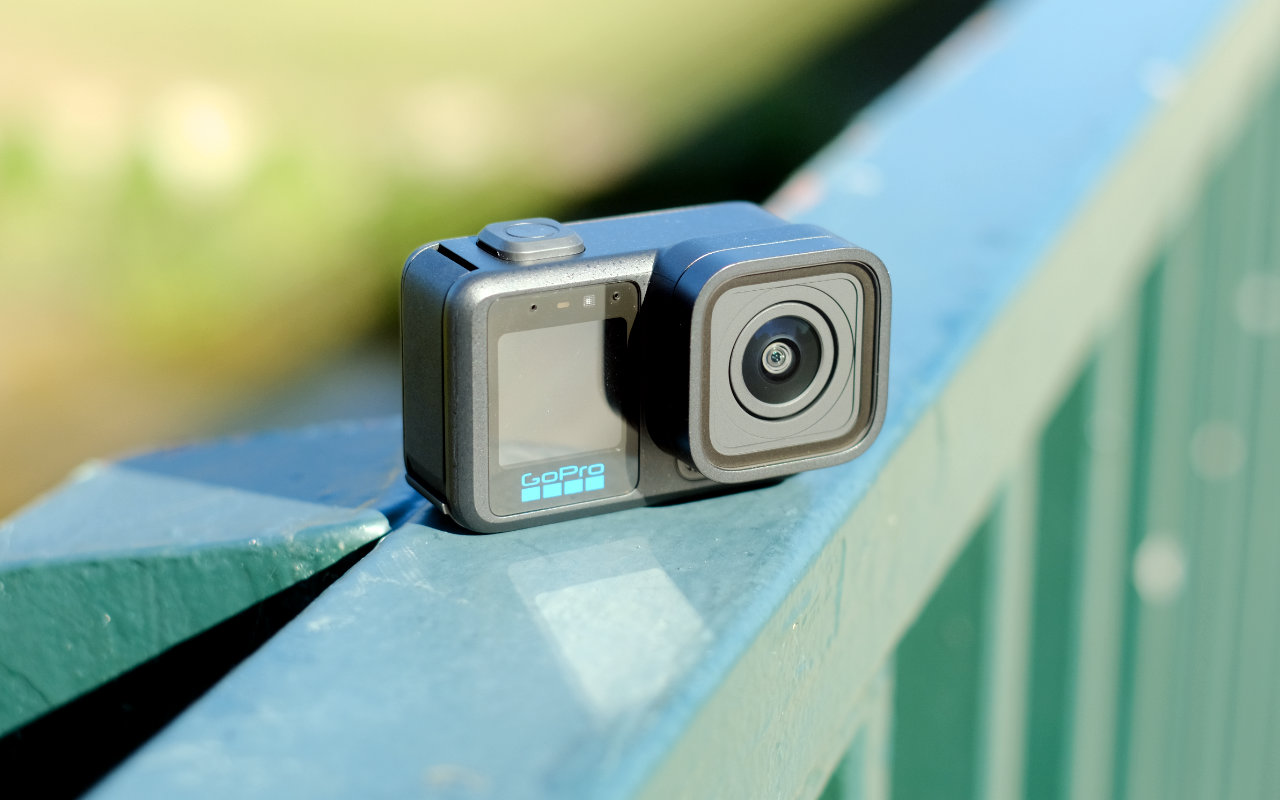
The GoPro Mission One Pro is the result of what happens when GoPro’s designers go all out. It’s about as premium an action camera as you can get: 1-inch sensor size, 8K60 or 4K240 footage, 4:3 open gate recording, and 10-bit depth.
As the top model in the new Mission One range, the GoPro Mission One Pro builds on the other cameras with these additional recording functions. Essentially, this is a repositioning in the market that brings GoPro one step closer to compact cinema camera territory.
Outside of that, it’s pretty much the same GoPro content creators know and love: it has best-in-class digital stabilisation, familiar mounting options, and a light, compact form factor that makes it easy to take anywhere.
Overall Rating: 4.5 / 5
Pros
- Outstanding video quality with a broad range of settings and functions
- Impressive stabilisation and horizon holding
- Long recording time without overheating
Cons
- Expensive for a GoPro
- No internal storage
Price: $1099.95 | For serious content creators upgrading from the GoPro Hero
Setup & First Impressions
The GoPro Mission One Pro is a familiar camera for anyone who’s used a GoPro before. Once you unpack it and get it charged up, you can be shooting quality video at the touch of a button.
GoPro’s touchscreen interface is intuitive, and you can find most settings you’ll need just by exploring the menus. The camera offers a range of default shooting modes that are suitable for starting with, and each can be customised by diving into the menus further.

Design & Aesthetics
At a glance, the design is unmistakeable. The familiar GoPro silhouette is here, but slightly enlarged to accommodate the new 1-inch sensor. That’s not to say it’s too big, but if you’re used to mounting a GoPro on your body, you may notice the increased size.
To me, the size is a tradeoff worth making. The Mission One Pro is still small enough to toss in a bag without thinking, and it’s light enough to use handheld for an extended time.
The two screens provide easy access to preview and the interface. The rear touchscreen makes framing and customisation easy, and it’s as responsive as you’d expect. The front screen is a great assist with framing if you’re filming on your own.
The buttons are chunkier than on previous GoPro models and help you to use the camera without looking at it.
Life With the GoPro Mission One Pro
The GoPro Mission One Pro is a camera that’s easy to pick up and shoot with; you don’t have to plan around it or learn anything ahead of time. I’ve been using it over an extended period to get used to its quirks, and then put it through its paces to see how the stabilisation manages tricky scenarios.
Positives
If I had to pick one outstanding feature, it would be the video and photo quality across the board. This is the best camera GoPro has ever produced, and the larger sensor size is a major part of that. It performs extremely well indoors and in low light without skipping a beat.
The breadth of shooting options is another major highlight. With such a wide range of stabilisation options, shooting modes, resolution choices, and horizon lock, it’s easy to get a smooth shot.
The camera is very convenient to work with in the field. You can connect directly to the camera via the Quik app, ingest your footage, and start editing right away. If ease of use matters, the GoPro system is up there with the best.
Negatives
There aren’t many downsides to the camera. If you’re taking long-form 8K footage, it will take a while to pull across over Wi-Fi, but realistically for that type of shooting you’re more likely to be dealing with it on a computer.
At this price point, the lack of onboard storage options is a bit disappointing. It means you’re completely at the mercy of having spare microSD cards with you, adding additional cost.

Camera
This is the section where it all matters. The 50-megapixel sensor is a step up from anything GoPro has released in the past, and it shows.
On the video side, the spec sheet is incredibly impressive. 10-bit widescreen recording up to 4K240 or 8K60 provides an extreme level of detail and motion to work with. There’s also an open-gate 8K30 mode that records in a 4:3 aspect ratio so that you can crop into portrait and landscape video from the same footage.
The gallery below are stills taken from footage.


Even the stills mode provides great flexibility. It can take 50-megapixel RAW images with a decent amount of leeway for pushing the exposure. Still shooting isn’t fast, so a dedicated still camera is better, but in a pinch the GoPro Mission One Pro can deliver.
I tested the digital stabilisation with the camera mounted to my bike on an off-road gravel path, and the horizon lock and stability is extremely impressive. This footage was auto-edited in the Quik app.
There’s also a fun time lapse mode that’s easy to use. We tried it out at Vivid in Sydney to see how the low light performance works, and it looks quite impressive.
Performance & Reliability
GoPro cameras in the past have been limited by a heat issue, where recording at a high framerate and quality can cause thermal shutdown before the battery runs out. Thankfully, the Mission One Pro has fixed the issue; GoPro claims two hours of 4K60 recording.
The mount compatibility is the same as other GoPro cameras, so if you’ve already got an existing set of mounts and accessories, you’ll still be able to use them all without any modification.
Practical Considerations
Ultimately, the lack of internal storage is the key thing to remember. There’s no fallback if you happen to forget a card or fill up mid-shoot.
Accessories like the photography grip help with handheld shooting, but they don’t feel like an unexpected omission or an upsell. The front filter on the lens is removable, and GoPro offers neutral density filters to help with exposure.
GoPro also offers accessories like the Media Mod that provides more inputs and outputs along with a multi-pattern mic, the Volta 2 Battery Grip, and a wireless microphone system.
GoPro’s Premium subscription service provides unlimited cloud storage for footage taken from a GoPro, up to 100GB of storage for footage from other cameras, and other benefits like discounts on accessories and cameras.
For most consumers, this is an additional extra you don’t need, but it may be helpful for professionals and enthusiasts.

Value & Alternatives
Coming in at $1099.95, GoPro is positioning this camera at a premium price point, but it has the quality to back it up.
The standard Mission One comes in at $949.95, and caps out at 8K30 and 4K120, essentially halving the maximum framerate. It also omits the open gate 8K30 mode. If you’re looking to save a bit, consider whether you’d use the additional framerate.
The previous flagship Hero 13 Black comes in quite a bit cheaper at $649.95, while the pocketable LIT Hero comes in at just $419.95. Both of these drop the quality level quite a bit, but are better options if you’re just dipping a toe into the action camera market.
Compared with other brands’ flagship models like the DJI Osmo Action 6 and the Insta360 Ace Pro 2, GoPro has once again taken the crown of outright image quality with its larger sensor. The Mission One Pro also provides a significantly higher framerate than either option.
Would I Buy It With My Own Money?
Yes, definitely. If you’d regularly use an action camera with these high resolution and framerate options, the GoPro Mission One Pro is a compelling option if you can handle the price tag.





Comments