

Would you pay big money to still see ads? After you’ve bought an expensive TV and sat down to watch, the brand that sold it to you uses it to display ads. The TV isn’t free or discounted, but they’re selling advertising space on it whether you like it or not.
Your living room and your attention is valuable, and this is the deal TV brands have struck with advertisers. TV home screen advertisements aren’t new, but they are becoming more aggressive and harder (or impossible) to avoid.
LG has been serving ads on the screensaver of its flagship OLED panels, Samsung is showing promotional tiles regardless of services you actually subscribe to, and TCL and Hisense are adopting the practice too.
The difference is whether or not these brands let you turn off the ads.
What ads are on your home screen?
There are two types of promotional content that appear on today’s home screens.
The first is promoted streaming content; tiles and carousels that push shows, movies, and services you may or may not subscribe to. Every brand does this, and most users have come to accept it as a content discovery method.
The second type is commercial advertising like fast food, cars, consumer goods, and more served directly to your home screen by third party advertisers. This is where the agreement falls apart; ads on free services are an understood trade-off, but watching a Maccas ad on a TV you paid big bucks for is not.
The formats vary by brand and it’s a space that’s evolving with each OS update. Static tiles, autoplay videos, full-screen ads, and unskippable ads when swapping inputs are all trends we’ve noticed.
Samsung, LG, TCL, Hisense: Where each brand stands

Samsung
Samsung’s Tizen operating system shows promoted content tiles, sponsored apps, and previews from services whether you’ve installed them or not. There used to be an opt-out toggle, but the brand quietly removed it in a software update.
Samsung Australia’s website states you can opt out of interest-based advertising by browsing to the Privacy Choices settings, but there’s no full opt-out on the device meaning generic ads and content promotions will still be shown on the home page.
CyberShack reached out to Samsung Australia directly about what options consumers have when it comes to home screen ads, but Samsung has failed to provide comment. The implication is that the brand won’t be walking this change back.

LG
LG webOS features a banner across the top of the screen promoting content from its free channels and partnered services. When hovered over, it will autoplay. LG has also extended advertising to the screensaver, playing full-screen promotions from third party advertisers before your screensaver kicks in, even on premium OLED models.
Unlike Samsung, LG lets you opt out of the advertising, but it requires a little menu digging.
To clear the home screen banner, browse to Settings > All Settings > General > System > Additional Settings > Home Settings > and turn off both Home Promotion and/or Content Recommendations.
To turn off screensaver ads, follow the above to Additional Settings > Screen Saver Promotion > Off.
With both disabled, the home screen clears up considerably, but LG burying the option means most users might never find it.
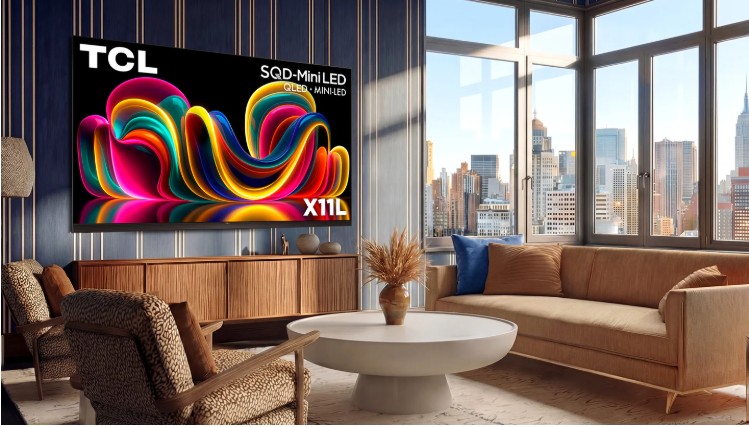
TCL
TCL’s current range runs Google TV, which displays recommendation rows and sponsored content across the home screen. Of the four brands we mention here, TCL provides the easiest opt-out.
Google TV has an “Apps Only Mode” that removes promoted content and replaces it with a simple grid of your installed platforms. To enable it, go to Settings > Accounts & Sign-In > Your Account > Apps Only Mode.
This disables Google Assistant and platform-agnostic content search, so there is a bit of a tradeoff if you use these features. If you mostly just open a streaming app, it’s a clear improvement.

Hisense
Hisense V Home OS serves home screen advertisements that cannot be fully removed through standard options.
Earlier this year international users reported Hisense TVs showing unskippable full-screen ads when powering on, switching HDMI inputs, and changing channels. Hisense responded to the reports saying it was a limited test conducted in Spain and we found no reports of this occurring in Australia or New Zealand.
However, Hisense has explicitly pushed advertising as a core element of its operating system refresh, and its test of unskippable ads is a concerning sign for the future of its TV platform. Some international users have had success contacting Hisense support directly about aggressive advertisement practices.
What you can do about ads
Aside from the opt-out toggles for LG and TCL TVs, there are a few other methods you can use to bypass advertisements on your home screen.
The first is using an external streaming device like Apple TV, Chromecast, or a gaming console as the primary interface. This bypasses the TV’s operating system entirely, but if a manufacturer takes an approach like serving ads when switching inputs, it may not work.
Another reliable workaround is to use DNS-level ad blocking configured on the TV or your router, but this is far more tinkering than any user should have to do just to enjoy your TV ad-free.
Our Take
The direction across the TV industry is problematic. Advertisements on flagship-priced hardware is unacceptable and a sign of manufacturers double dipping – up front on the purchase and more on the tail end from ads.
The standard applied across these manufacturers is opt-out, meaning you’re enrolled for ads until you find the option to remove them, if it’s there at all. For a device that sits at the centre of most homes, it’s just not good enough.





5 comments
Rowe Charles
The start up screen on my lg pisses me of no end. Hopefully it your fix will work.
Trevor Davy
It’s a disgrace that these companies are endorsing advertising companies to unsuspecting consumers.
How long do these ads last for when the TV is turned on?
We are about to purchase a TV before the end of the financial year. We now have become doubtful about purchasing a TV that promotes some bloody add.
Cheers Trevor
Joe Ciberlin
Thanks for the article.
I was seriously committed to buying the top of the rang Samsung S95H 85″ TV.
But now I am seriously considering looking/choosing another brand.
Geoff
Thanks so much for this insight. Currently considering a new 83″ TV so have now crossed Samsung off the list. This rubbish sounds as potentially annoying as new EV’s that beep and annoy you at every opportunity whilst driving! You don’t mention Sony: is that because they are now under TCL? Would also be helpful if you could also explain DNS ad-blocking.
Scott Hunt
Hey Geoff, Sony is running the same Google TV system as TCL so you could check for the apps-only option in the same place.
I’ll look into putting together a DNS-level adblock guide.