

Creative Stage Pro 2.1 is a diminutive soundbar and separate subwoofer that fills smaller spaces with clean, crisp sound.
Creative (remember them from the SoundBlaster day) has a habit of making technically excellent gear at great prices. This $229.95 sounbdbar and subwoofer has a remote control, Dolby Audio (Digital and Plus, not Atmos), a choice of desktop (near field) or TV (far field) placement, HDMI, USB, AUX, Optical and Bluetooth inputs and an adjustable EQ with Movie, Music, Vocals, Gaming or off.


Looking at the competition, this offers so much more at this price.
Australian Review: Creative Stage Pro 2.1 soundbar
| Website | Product page Manual |
| Price | $229.95 |
| From | Creative online and CE/IT resellers |
| Warranty | 12 months ACL |
| Made in | China |
| Company | Singapore-based Creative Labs (Est 1981) make class-leading PC soundcards and, more recently, speakers and headsets. Its Super X-Fi launched in 2018, is just beginning to take hold to produce spatial sound from stereo technology. |
| More | CyberShack Creative news and reviews |
Ratings
We use the following ratings for many of the items below. CyberShack regards a score between 70 and 80/100 as a fit-for-purpose pass mark. You can click on most images to enlarge them.
- Fail (below expectations), and we will let you know if this affects its use.
- Pass(able) rating that is not as good as it should be.
- Pass (meets expectations).
- Pass ‘+’ rating to show it is good, but does not quite make it to Exceed
- Exceed (surpasses expectations or is the class leader).
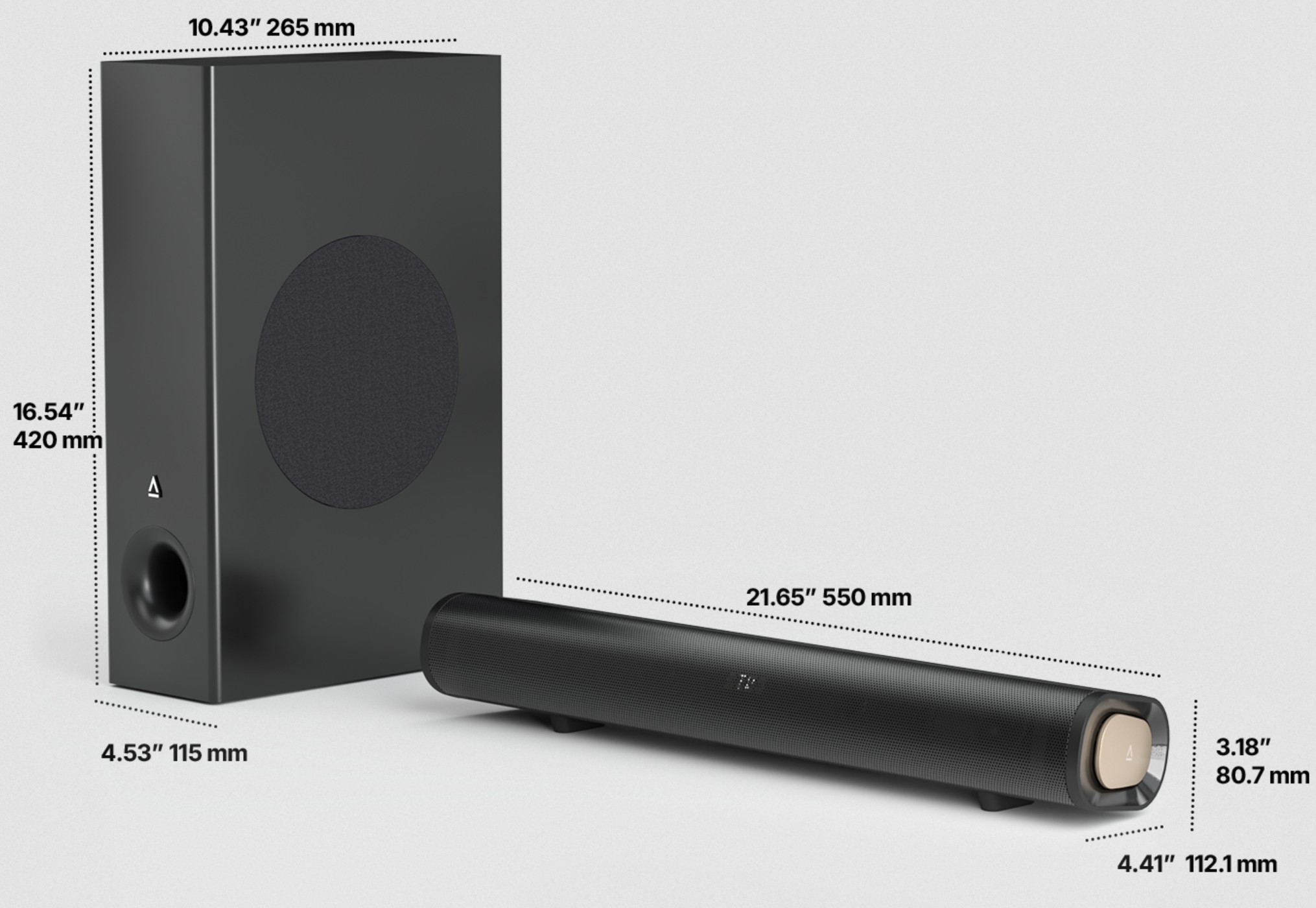
First Impression – favourable and smaller than I imagined
There is a hint of Creative glitz – nice angular bronze radiator ends and controls over what is otherwise a pretty standard soundbar style – perforated black audio front mesh with a slight upwards angle. It can only be placed on a desktop.
The soundbar is 550 (L) x 112 (W) x 80.7 (H). The subwoofer is 420 (H) x 265 (L) x 115mm (W) and 3.4kg. It fits anywhere, and that is why Creative included desktop and TV placement, because this will be a hit with gamers as well as TV users.
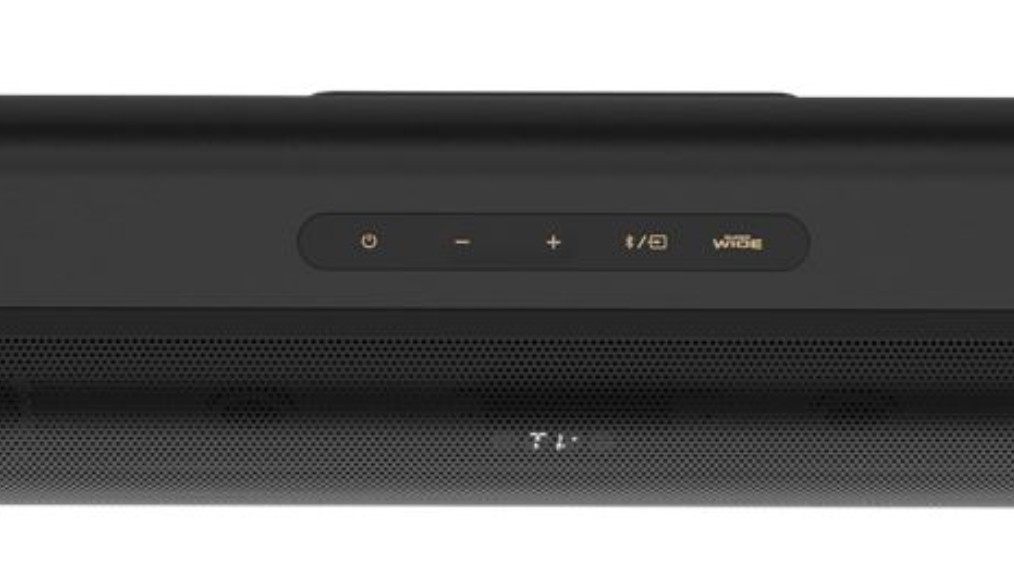
A LED display at the front shows volume levels, source input, and sound mode. The top buttons are for power, volume, input selection, Bluetooth, and toggling SuperWide mode. You could also use the remote control (2 x AA batteries not included).
We found a little quirk – it does not remember settings for each input, so the remote is very handy.
Creative Stage Pro 2.1 Base Specs
- Left and right front firing 20W RMS each
- Passive radiator (each end) for added spatial reinforcement
- 5.25” Side-firing subwoofer and front port 40W RMS (2m wired connection to the soundbar)
- Total 80W RMS (forget the 160W Peak rating)
Inputs: Pass
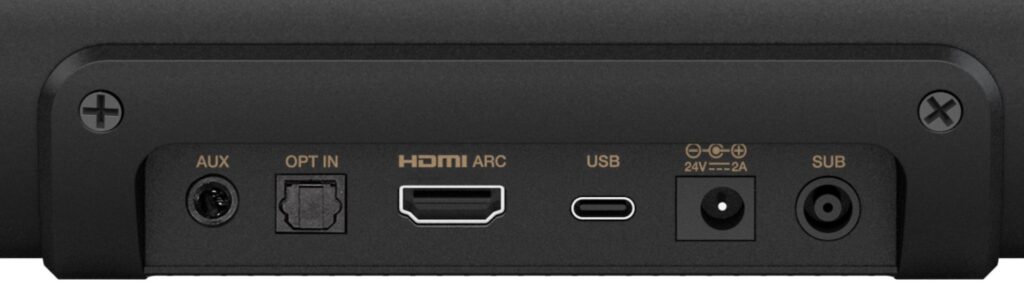
- HDMI 1.4 10Gbps (ARC and eARC compatible, including CEC control)
- USB-C (for PC, Mac, Switch and ioS and Android if ALT DP is enabled)
- Optical in
- 3.5mm three-pole stereo AUX in
- Bluetooth 5.3 SBC and AAC 16-bit/44100Hz (no Wi-Fi)
Power: Pass
24V/2A/40W, but seldom anywhere near that.
How Dolby Audio works (not Atmos)
It has a decoder for Dolby Digital (5.1) and Digital Plus (7.1) that downmixes the multi-channels to the 2.1 speakers. The decoder can phase sound across the speakers to give some 2D horizontal movement, but cannot add 3D height movement (as in Atmos).
In either near or far field placement, it creates an accordingly wider sound stage. Near was about 15cm (each side), and far was about 1m (each side). Superwide (far) seems to recess the mids a little. If you want clear voice leave this off.
It can handle up to 55” TVs with accurate left/right separation and matching speed to its TV location.
EQ: Pass
The presets are perhaps too subtle, not making a lot of difference. Vocal is the exception, where 1-4kHz is ‘accentuated’ by recessing the bass and treble. It’s pretty good, but you lose some TV sound /music quality, and it lacks Night Mode for more discreet listening.
You can also adjust bass and treble via the remote. Again, this is not a true adjustment as low and high mids are accordingly recessed.
How does it sound? Exceed
Our test uses a white noise generator to find the native sound signature regardless of presets or EQ settings. Overall, it sounds pretty good and is close to nirvana – a neutral signature that neither adds nor subtracts from the sound.
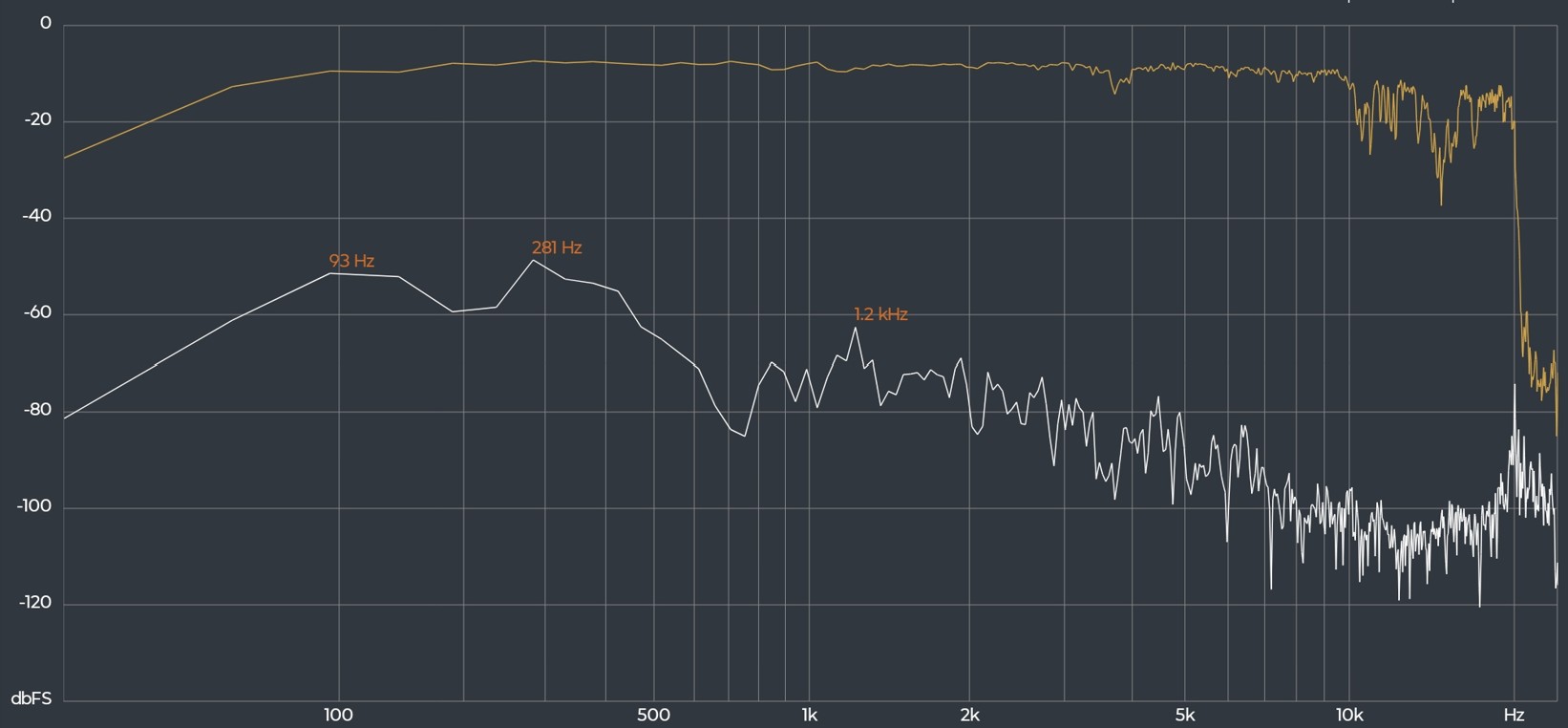
- Low bass starts at 30Hz. It’s not room-shaking, but you can feel it.
- Mid bass from 50-100Hz is solid, and the soundbar is flat (good) all the way to 10kHz.
- High treble 10-20kHz is choppy and uncontrolled
It can get loud – 85dB. There are a few clips and pops at maximum volume, but back off to 75% and it is all good.
Note that PCM 2.0 stereo is not ‘processed’ but goes straight to the speakers.
CyberShack’s view: Creative Stage Pro 2.1 is for those who want better TV sound for a great price
80W RMS is heaps for a bedroom or apartment lounge. The soundbar and subwoofer punch above their weight and are a superb replacement for TV sound.
If you have the desk space, they will improve PC gaming and music. If you lack deskspace look at the BlueAnt SOUNDBLADE – serious 2.1 sound for the computing desktop, but the Creative has a slightly better sound signature.
Creative Stage Pro 2.1 ratings
Rated as a 2.1 soundbar at $229.99.
- Features: 90. It is a 2.1 desktop system with possibly the best sound you will ever hear, a remote control, five inputs and a remote. What more could you want?
- Value: 90. $229.99 is good value for what it is.
- Performance: 90. It is excellent for this category.
- Ease of Use: 90. Plug and Play
- Design: 90. Standard soundbar design, but Creative needs to get creative and start setting a new design bar.
CyberShack Verdict
Creative Stage Pro 2.1 soundbar
$229.99











Comments